PUBG Mobile Lite Camera, ADS, and Gyro
Typical mobile BR starting ranges for 2–4 finger layouts. Not official Lightspeed numbers.
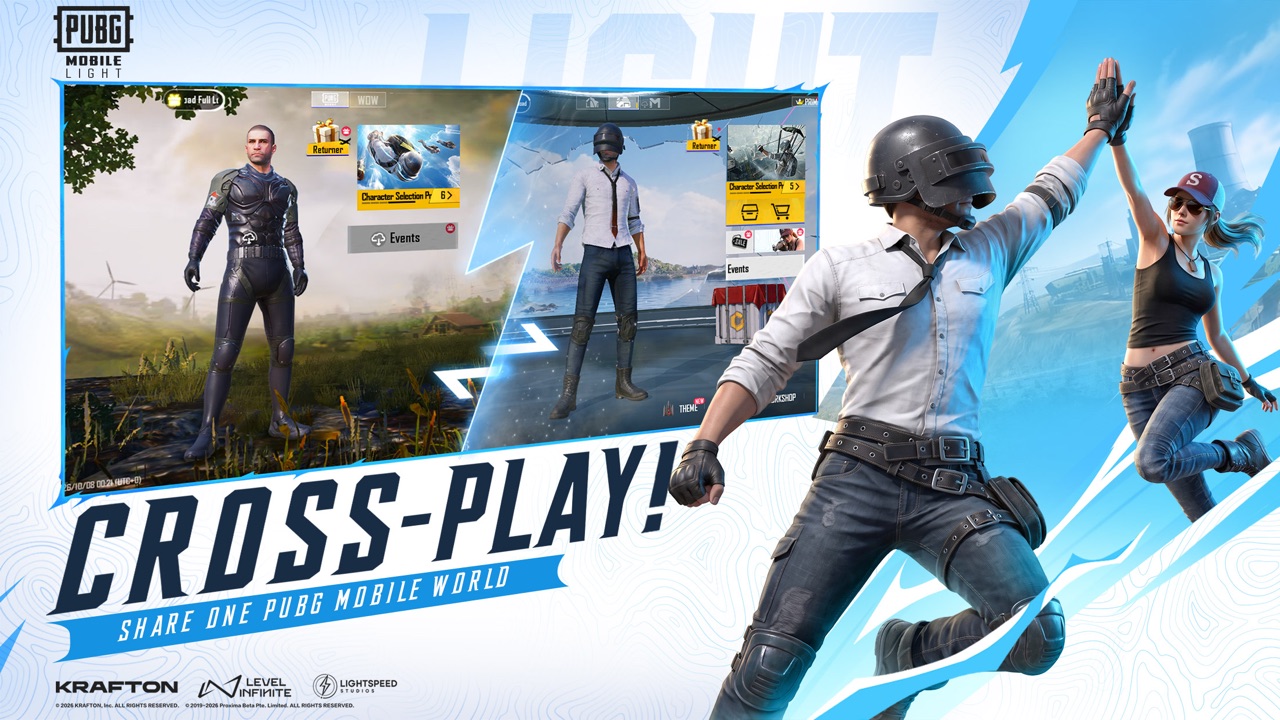
Lightspeed has not published official PUBG Mobile Lite sensitivity codes. Anyone selling a “LIGHT 2026 gyro config” is guessing or scamming. Use the ranges below as starting points copied from typical mobile battle-royale habits, then test in training when the client is playable. If you already have a main PUBG Mobile config you like, paste that first. Same rifles (M416, Beryl, Vector, Kar98) should not need a fantasy LIGHT-only sheet.
Until LIGHT is playable, you can rehearse in the main app training range. CBT menus in selected countries are work-in-progress and not final; do not treat a beta screenshot as the shipping default.
Layout first, numbers second
Pick a layout before you chase a 1% gyro tweak. See also controls.
- 2-finger (thumbs): Camera on the right thumb, fire on the right, move on the left. Easiest to learn. Hardest to ADS-fire while strafing. Start with lower ADS and moderate gyro so you are not spinning on 3x.
- 3-finger: A fire (or ADS) finger on the top-left or top-right plus two thumbs. The extra finger is how you jump-shot and still spray. Most people should try this before claw.
- 4-finger (claw): Two index fingers on the upper half of the screen. Highest ceiling, worst comfort on a small phone. Only do this if your case and device size allow it. LIGHT being “for more phones” does not make claw mandatory.
If a teammate on a weaker device is still on two thumbs, do not force claw in week one. Assign them support or IGL-sniper habits instead (squad roles).
Camera (third-person / free look) starting ranges
These are percent-style starting bands many mobile BR players already live in. Your menu labels may read TPP, FPP, vehicle, or camera.
- TPP camera: 90–120
- FPP camera: 80–110 (if you play FPP at all; Erangel pubs are mostly TPP)
- Vehicle camera: 80–110
If the camera feels sluggish when you swipe to a doorway, raise TPP in steps of 5. If you lose the enemy every time you peek Pochinki stairs, lower it. Do not jump from 90 to 180 in one sitting.
ADS starting ranges (no gyro, or gyro as a helper)
ADS is where most people over-tune. Start lower than your camera so 3x and 4x do not fly.
- Red dot / holographic / iron: 50–80
- 2x: 40–70
- 3x: 30–55
- 4x: 25–45
- 6x: 18–32 (consider disabling 6x gyro until you can track Mini14 taps)
- 8x: 12–24 (bolt rifles; small adjustments only)
A 3x M416 on Erangel fields is the default “I can spray and still tap” setup on the weapon list. If 3x ADS is higher than red-dot ADS, you will overflick every peek.
Gyro starting ranges
Gyro is optional. It is also the setting YouTube oversells. Two schools:
Gyro always on (including hip-fire): higher 3rd-person gyro (often 200–350) so you can micro-adjust without swiping. Only if your device’s IMU is stable. Cheap gyros drift; if the crosshair walks while you stand still, turn always-on off.
Gyro on scope only: keep camera swipe for big turns, gyro for 3x–8x micro. Typical scope gyro starting bands:
- Red dot: 150–250
- 2x: 150–240
- 3x: 160–280
- 4x: 170–300
- 6x: 200–350
- 8x: 220–400
These are starting ranges, not a target you must hit. If 8x at 400 feels like a washing machine, you are not “bad at LIGHT.” You are over-tuned. Drop 20 at a time.
A 20-minute training loop (when LIGHT is playable)
- Paste your main-app config, or the midpoints of the ranges above.
- Stand 25 m from a wall and spray M416 on red dot. If the burst climbs off a door frame, lower ADS or add a little vertical gyro.
- Repeat at 3x on a 50 m target. If you cannot hold a torso, lower 3x ADS before you touch gyro.
- Tap Mini14 or Kar98 at 100 m with 6x/8x. If the first shot lands and the follow-up flies, your high-scope gyro is too hot.
- Run a Vector stair drill. SMG hip-fire is layout, not 8x gyro.
- Play one unranked Erangel drop (landing spots) before you change numbers again.
Do this in training, not in a ranked stack you are trying to IGL. Cross-play friends on the main app cannot feel your gyro for you (cross-play).
What not to copy
- Pro 4-finger codes on a 6-inch phone you hold in bed
- “400% all scopes” thumbnails
- Paid LIGHT configs
- Sensitivity codes from the 2019 Lite client (different product, different accounts)
Graphics will also change how recoil looks. A smoother LIGHT frame rate can make the same ADS feel faster. Tune after you pick a stable frame preset, not before. Device notes: device requirements. There is still no official RAM floor; do not pair these gyro ranges with a fake spec sheet.
When the November 2026 window makes the client playable, this page should become a log of ranges that survived real Erangel fights. Until then it is a starting kit: layout first, camera 90–120, ADS falling as zoom rises, gyro only as fast as you can still track a Mini14. Pair it with getting started so you bind the account before you spend an hour in a settings menu that does not exist on your phone yet.
Frequently Asked Questions
Quick answers before you drop into Erangel.
Are these official Lightspeed sensitivity values?
No. They are typical mobile BR starting ranges. Test in training when LIGHT is playable.
Should I copy a pro 4-finger code?
Only if you already play claw on that phone size. Most people should start 2- or 3-finger and move ADS in small steps.
Can I reuse my main PUBG Mobile sensitivity?
Yes, as the first paste. Then retune. Same gun families, possibly different frame pacing on the lighter client.
Gyro always on or scope only?
Scope-only is safer if your IMU drifts. Always-on is a preference, not a LIGHT rule.
Why are 6x and 8x lower on ADS but higher on gyro?
Swipe ADS at high zoom is too fast for most thumbs. Gyro micro-adjust is how people finish DMR taps without spinning the island.
Where do I test before launch?
Main-app training range now. LIGHT training once that client is playable. CBT menus are not the final settings app.